01
Todo: views that fit your method
Turn the same tasks into a Today board, project queue, calendar, quadrants, timetable, habit list, or any view your week needs.
A little more Ruyi in the day
See tasks, calendar plans, shortcuts, and body signals in one place. Push when it is time to push, ease off when your body asks for it, and let the plan breathe with real life.
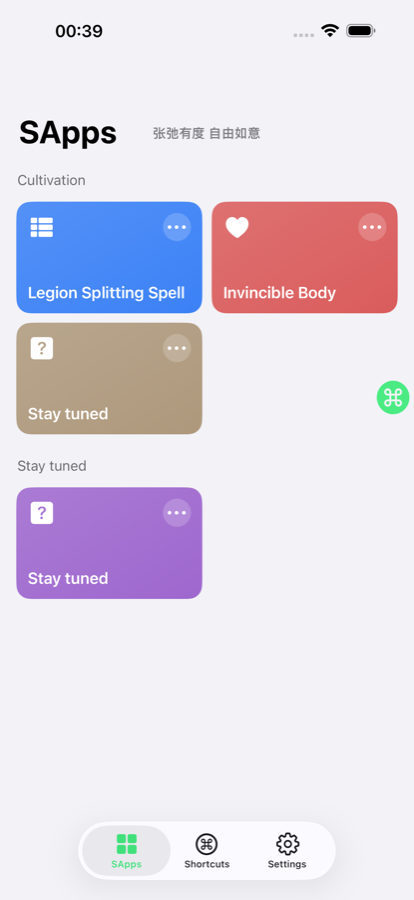
Built for the rhythm you actually live
Ruyi starts with the two places daily life keeps returning to: the things you mean to do, and the signals that tell you how much you can take on.
Todo lets you shape custom views and rules. Health turns Apple Watch data into clearer training context, so fitness plans can follow recovery, load, sleep, and readiness.
Two core modules
Together they help you decide not only what comes next, but whether today is a day to push, keep steady, or recover.
Turn the same tasks into a Today board, project queue, calendar, quadrants, timetable, habit list, or any view your week needs.
Ruyi adds the layer many athletes expect from COROS and Garmin-style watches: training load, recovery, body battery, sleep reading, and fitness direction.
Todo views
There is no fixed ceiling: create unlimited views, choose each view type, tune filters, sorting, icons, colors, visibility, and subviews until the plan feels like your own.
Use All (AND) or Any (OR) to combine title, notes, status, priority, time, tags, projects, location, flags, reminders, and recurrence into exactly the slice you want to see.
Health
Distance and rings are only part of the story. Ruyi looks at load, recovery, sleep, body battery, and fitness trends so today’s plan can respect the body behind it.
Track ACWR, ATL, CTL, TSB, Training Monotony, and Training Strain to understand whether recent work is building fitness or rising too quickly.
Recovery Time and Body Battery combine training load, sleep, HRV, resting heart rate, and activity to suggest when to push, go easy, or rest.
Sleep stages, sleep score, heart-rate signals, HRV, and trend comparisons help you read fatigue instead of judging the day from one number.
VO2Max and Race Prediction for 5K, 10K, half marathon, and marathon turn recent runs into practical pacing and fitness insight.
What Ruyi helps with
The point is not to manage more. It is to see the right slice at the right moment, then move with less friction.
Inbox, due dates, reminders, priority, notes, tags, projects, and locations keep each commitment close to how you actually act.
Month, week, three-day, day, timetable, project, and context views put tasks back on a real timeline.
Sleep, activity, training load, body battery, and recovery trends help you understand capacity before arranging workouts.
Widgets, deep links, and clipboard-to-event actions keep frequent moves close, so capture does not become another chore.
Tighten, then loosen
Ruyi keeps commitments, time, and body signals close enough that adjusting the day feels natural.
Drop a task into the inbox, clipboard flow, or shortcut before it has time to scatter.
Use calendar and week views to turn loose tasks into dates, rhythm, and reminders.
Use task dashboards and health trends to decide whether the plan still fits today.
Real interface
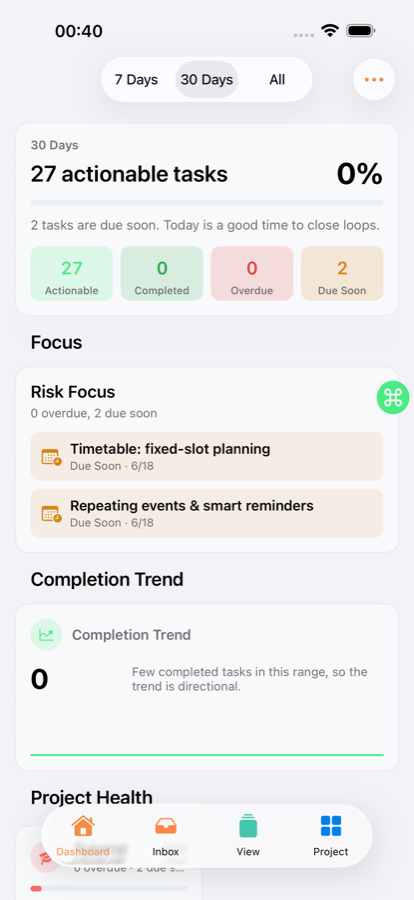
Overview, dashboard, calendar, quadrants, and health views keep the next decision visible without burying you in setup.
Tasks, shortcuts, and body status stay close together.
Completion trends, risk, and project progress surface early.
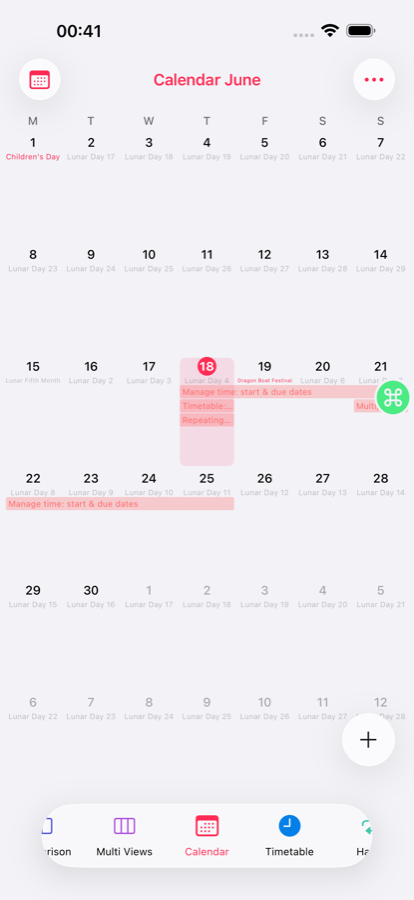
Place tasks on a calendar and notice the heavy weeks sooner.
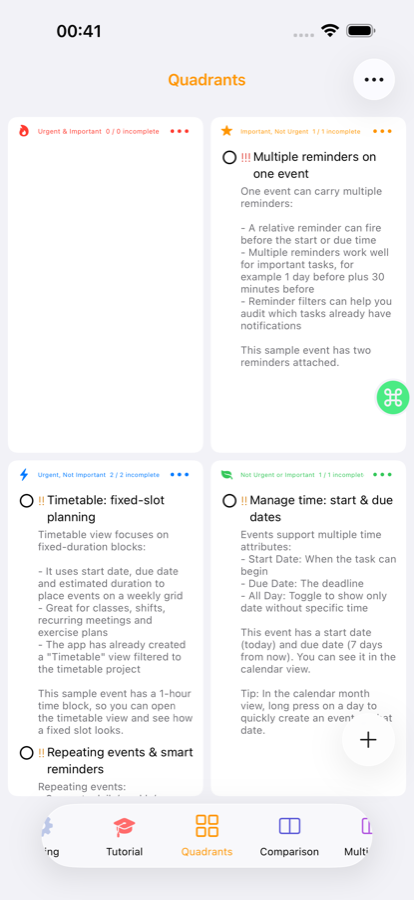
Separate urgency from importance before the day rushes you.
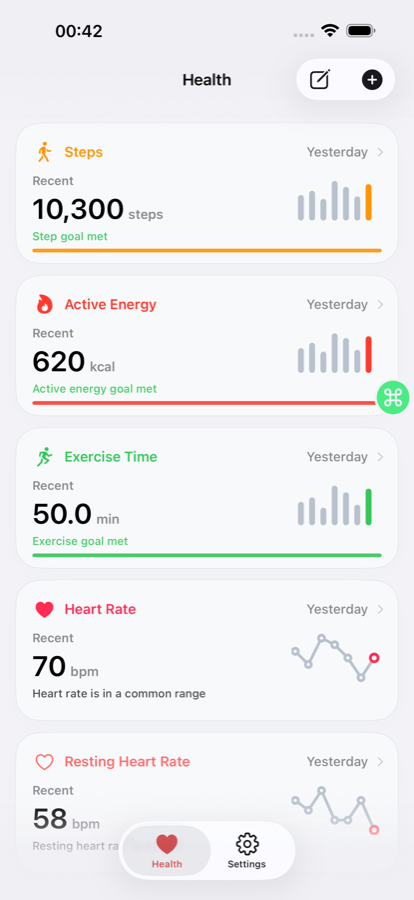
Sleep, activity, load, and recovery stay part of the daily picture.
Privacy and sync
Core planning and health experiences are designed around local use, so the main flow can start without an account.
When continuity matters, iCloud sync keeps the same structure available across your devices.
Health trends support planning and training reflection. They are not medical diagnosis, treatment, or professional advice.
Get started
Bring tasks, calendar plans, training, and recovery together on iPhone. Open Ruyi when the day needs both direction and breathing room.